
Download 8 SoundCloud – Free Windows & Xbox Music Player
Overview
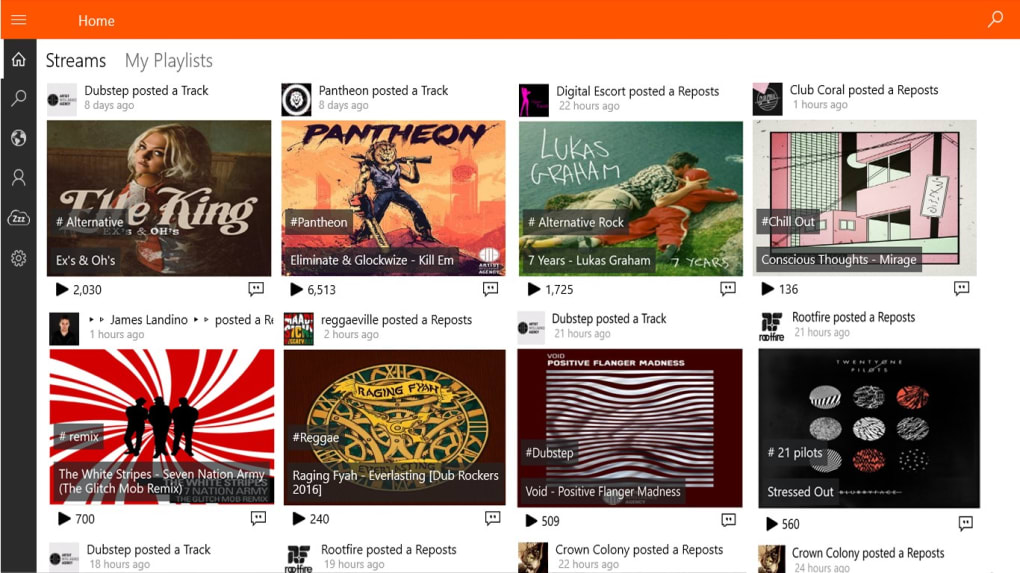
8 SoundCloud is a lightweight, free desktop player designed specifically for the SoundCloud streaming service. Built for Windows 10 and Xbox One, the app lets you browse, search, and play tracks without the need to open a web browser or juggle multiple tabs. Its minimalist interface puts your favorite artists front‑and‑center, while background playback ensures the music never stops, even when you switch to other programs or games.
Because the player runs as a native Windows application, it consumes far less RAM than a browser tab and offers quicker start‑up times. The software also respects SoundCloud’s licensing, so you get the same high‑quality audio streams you’d hear on the official site, but with the convenience of a dedicated player. Whether you’re a casual listener who wants a simple way to enjoy playlists, a creator who needs quick access to uploads, or a gamer looking for uninterrupted background beats, 8 SoundCloud provides a secure, ad‑light experience that feels native to the Windows ecosystem.
The app is regularly updated to keep pace with SoundCloud’s API changes, ensuring that you won’t lose functionality after a platform update. In short, 8 SoundCloud bridges the gap between the massive library of SoundCloud and the comfort of a desktop‑only music player, delivering a focused listening environment without extra clutter.
Key Features
- Native Windows 10 & Xbox One support – optimized for smooth playback on both platforms.
- Background audio – continue listening while you work, game, or browse other apps.
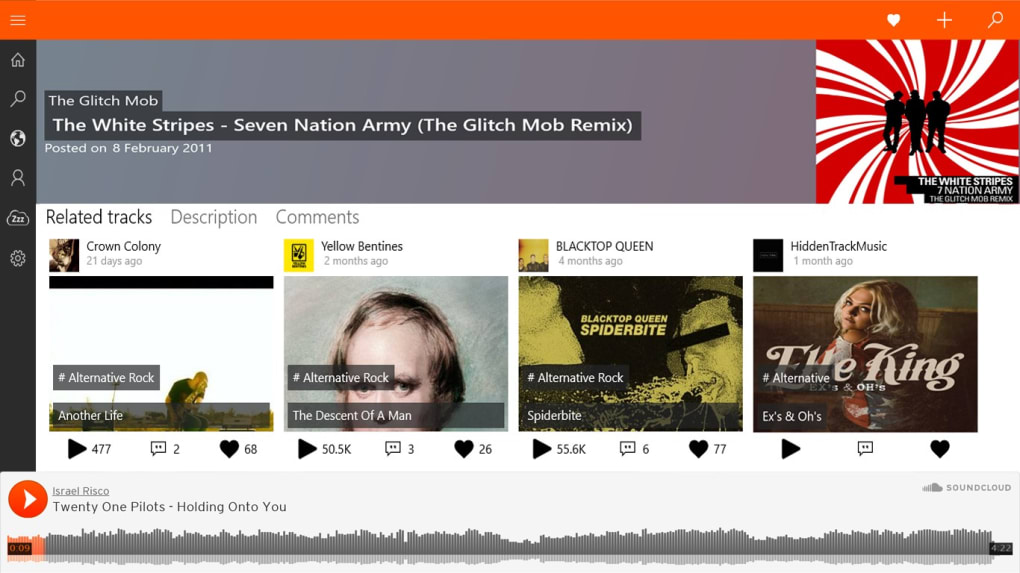
- Quick search & discovery – find tracks, albums, or artists instantly without opening a browser.
- Playlist management – create, edit, and reorder playlists directly within the app.
- Low‑resource footprint – consumes minimal CPU and RAM compared to traditional web players.
- Automatic updates – stays in sync with SoundCloud’s API changes for uninterrupted service.
- Secure authentication – uses OAuth to keep your login credentials safe.
- Customizable UI themes – choose light or dark mode to match your system preferences.
Installation & Easy Usage
Getting 8 SoundCloud up and running is straightforward. First, download the installer from the official website or a trusted software repository. The installer is a single .exe file under 15 MB, making it quick to download even on slower connections. Run the file and follow the on‑screen prompts: accept the license agreement, choose an installation folder (the default works for most users), and click “Install.” The setup process typically finishes in under a minute.
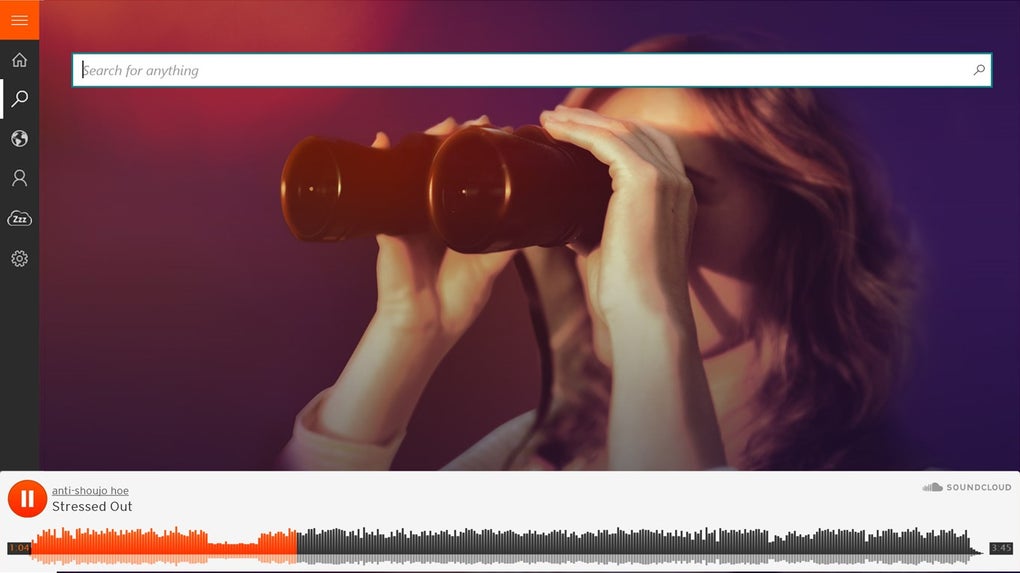
After installation, launch the application from the Start menu or Xbox dashboard. The first launch will prompt you to sign in with your SoundCloud credentials. 8 SoundCloud uses OAuth, so you’ll be redirected to a secure SoundCloud login page; once authenticated, you’ll be returned to the player automatically. From there, the main interface displays a search bar at the top, a navigation pane on the left, and the currently playing track at the bottom.
To start listening, simply type an artist name, track title, or keyword into the search bar and press Enter. Results appear instantly, and a double‑click on any track begins playback. You can add songs to a new or existing playlist by right‑clicking and selecting “Add to Playlist.” The player also supports drag‑and‑drop for quick playlist organization. While music plays, you can minimize the window, switch to another app, or even launch a game on Xbox—audio will continue uninterrupted thanks to background playback. Settings are accessible via the gear icon, where you can adjust audio quality, enable/disable notifications, and toggle between light and dark themes.
Compatibility, Pros & Cons
8 SoundCloud runs natively on Windows 10 (64‑bit) and is also available as a certified app for Xbox One. The software leverages the Windows Media Foundation for audio rendering, ensuring consistent sound quality across both platforms. Minimum system requirements are modest: a 1 GHz processor, 512 MB RAM, and at least 200 MB of free disk space. The app does not support macOS, Linux, Android, or iOS, so Windows users who also need mobile access must rely on the official SoundCloud mobile apps.
Pros
- Free to download and use with no hidden fees.
- Lightweight and fast, ideal for low‑end PCs.
- Background playback works seamlessly on both Windows and Xbox.
- Secure OAuth login keeps credentials safe.
- Regular updates keep the player compatible with SoundCloud’s API.
Cons
- No native macOS or mobile version.
- Limited visual customization beyond light/dark themes.
- Relies on an internet connection; no offline caching.
- Occasional API rate‑limit messages during heavy usage.
- Feature set is focused on playback; lacks advanced audio editing tools.
Frequently Asked Questions
Is 8 SoundCloud completely free?
Yes, the application is free to download and use. There are no subscription fees or hidden charges, though you still need a free SoundCloud account to stream music.
Can I use 8 SoundCloud on a Mac?
Currently, 8 SoundCloud is built only for Windows 10 and Xbox One. Mac users will need to rely on the official SoundCloud web player or mobile apps.
Does the app support offline listening?
No. 8 SoundCloud streams directly from SoundCloud’s servers, so an active internet connection is required for playback.
How secure is my SoundCloud login in 8 SoundCloud?
The app uses OAuth authentication, which redirects you to SoundCloud’s secure login page. Your credentials never touch the 8 SoundCloud client, keeping them safe from potential leaks.
Will the player continue working after SoundCloud updates its API?
The development team releases frequent updates to stay compatible with SoundCloud’s API changes. As long as you keep the app updated, it should continue to function without interruption.
Final Verdict & Call to Action
Overall, 8 SoundCloud delivers a focused, low‑resource solution for Windows and Xbox users who want to enjoy SoundCloud’s massive catalog without the clutter of a web browser. Its strengths lie in seamless background playback, quick search, and a secure login process. While the lack of macOS or mobile support and the absence of offline caching may disappoint power users, the app’s free price tag and regular updates make it an excellent addition to any Windows‑centric music setup. If you’re looking for a straightforward way to keep the beats rolling while you work, game, or browse, give 8 SoundCloud a try today.
Ready to elevate your SoundCloud experience? Download 8 SoundCloud now and start streaming instantly.







